出会い
MeetMe!
A social meetup scheduling app that ends the WhatsApp coordination chaos.
Role
Product Designer
Team
Maksym, Stav, Aviv & Dana
Duration
3 months
Platform
iOS & Android · Concept project

The challenge
Scheduling with friends is broken
Today, planning a meetup happens in WhatsApp: endless 'when works for you?' threads, repeated messages, confusion about who's actually free, and meeting details scattered across the chat. The result — frustration, lost time, and meetups that quietly never happen.
The solution
One place for the whole meetup
MeetMe! centralises the entire flow in a single, structured space. Each user connects their personal calendar — Apple, Google or Outlook — and the system cross-references availability across the group, surfacing the dates that work for everyone while keeping each user's actual events private.
Who we designed for
The persona

ノア・コーエン
Noa Cohen
- Age
- 24
- Lives in
- Herzliya, IL
- Works as
- Project manager at a startup
- Social
- Active across multiple friend circles
"I'm never giving up Friday-night drinks with my friends — I just don't want to chase everyone for a date."
Background
Noa keeps several close friend groups alive — army friends, uni friends, work friends. The relationships matter to her, but she's the one who always ends up coordinating, and she's tired of meetups quietly fizzling out in the group chat.
Goals
- ◯Meetups with friends actually happen — not just talked about
- ◯Lock a date without an endless thread of 'when works for you?'
- ◯Know upfront who's available and when, without asking
- ◯Feel like the initiator without carrying all the logistics weight
Frustrations
- ◯Coordination that drags on for weeks
- ◯People who don't reply on time
- ◯Last-minute plan changes
- ◯Feeling like she's the only one putting in effort
- ◯Skipping a meetup purely because of logistics
Habits & feelings
- ◯Always the one sending 'so… are we doing this?'
- ◯Wants tools that match how she already works — clear, fast, organised
- ◯Tired of running after answers
- ◯Sensitive to group dynamics — doesn't want to feel like the 'nag'
Personality
- ◯Initiator and natural leader
- ◯Highly social
- ◯Time-conscious and reliable
- ◯Hates wasting energy on logistics
- ◯Feels unofficially responsible for the group — if Noa doesn't plan it, it doesn't happen
What I did
My contribution
- ◯Defined the problem with the 5W's framework and built the 'Noa Cohen, 24, Herzliya' persona that anchored every design decision
- ◯End-to-end product design: research → IA → user flows → UI system → high-fidelity prototype
- ◯Privacy-first calendar sync UX — an availability heatmap that never exposes event details to the rest of the group
- ◯Built-in expense splitter, group chat and shared photo album as post-meetup retention loops, validated by survey insights on group spending
Screens
The work
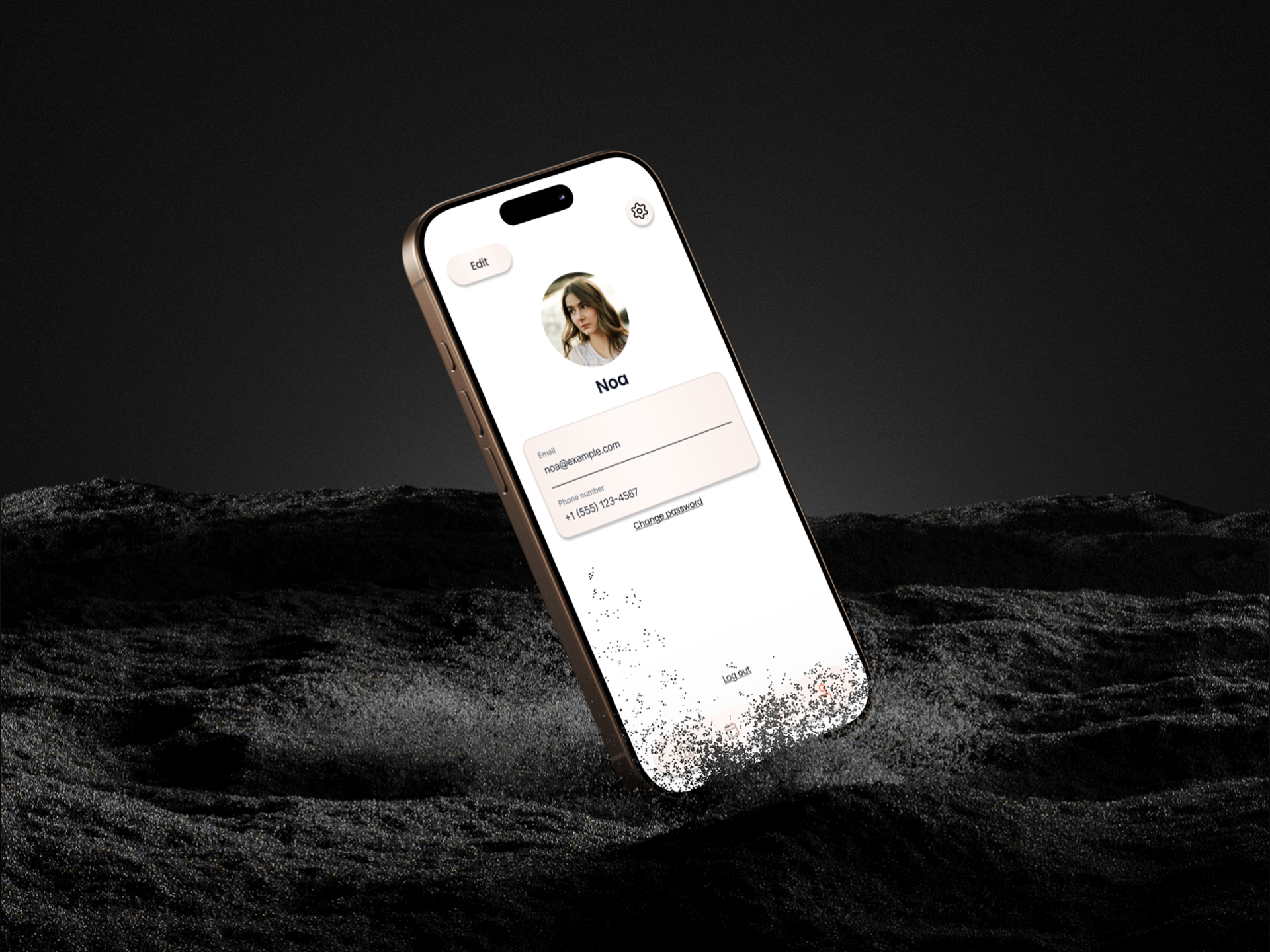
01
Profile & settings
The signature shot of the system — a calm profile screen photographed in black sand, where the brand's warm cream gradient dissolves into the dark. Edit identity, contact info, password and log out, all in one quiet place.
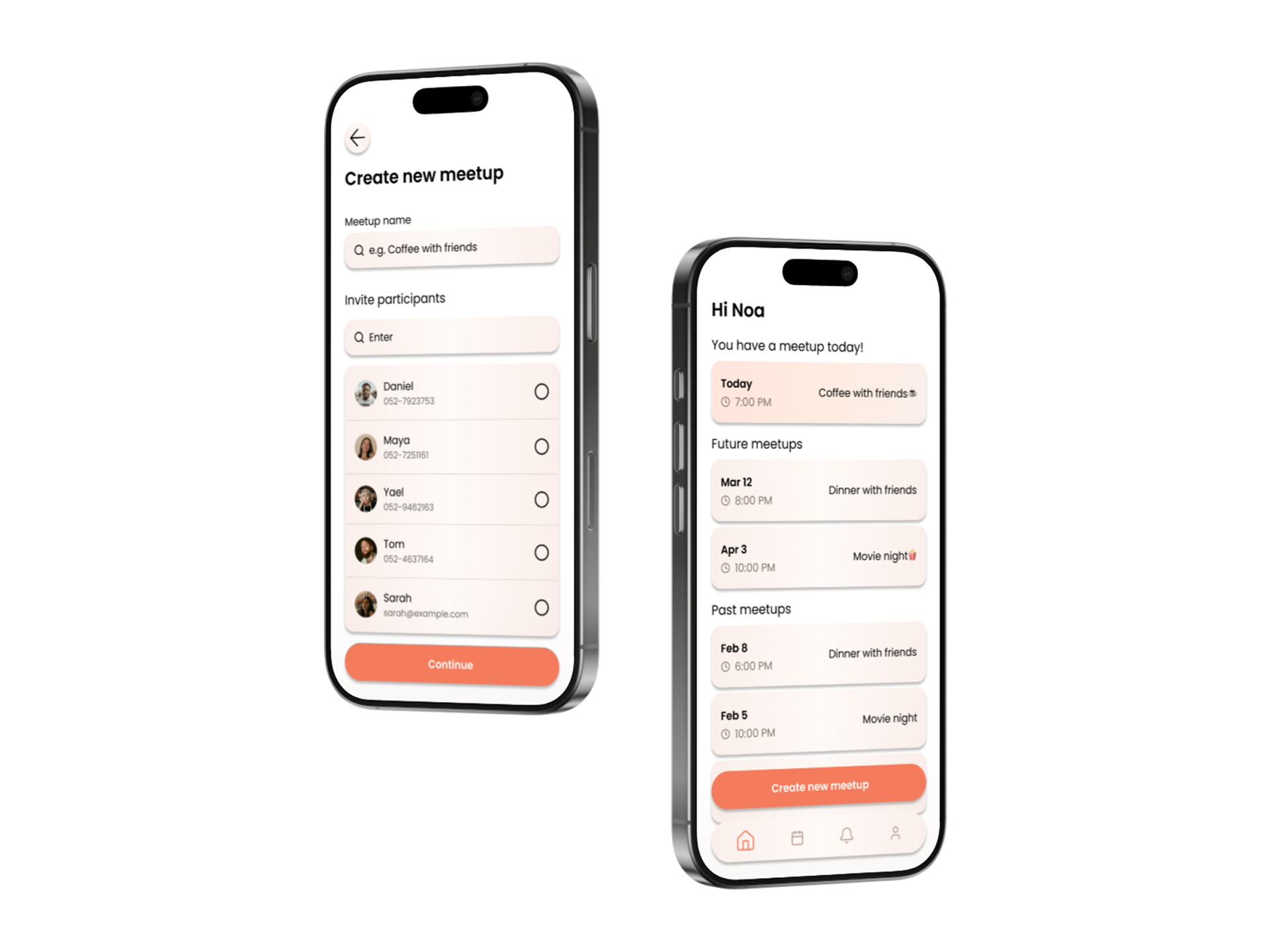
02
Create a meetup & home feed
The host names the meetup and picks participants from contacts (left). On the right, the personalised home feed greets the user with today's meetup, upcoming plans and past memories — one tap to start a new one.
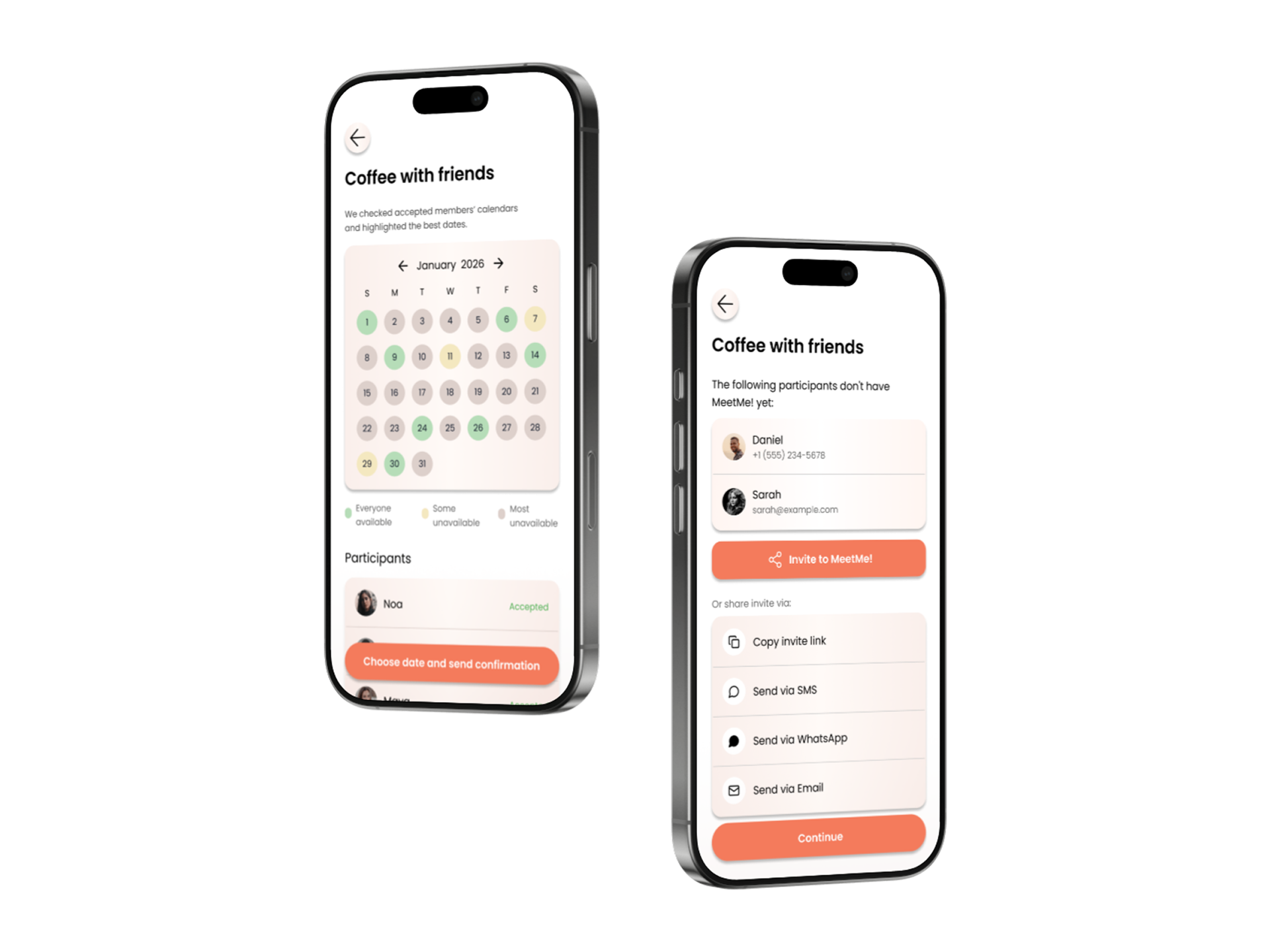
03
Best dates heatmap & inviting non-users
The host sees an availability heatmap (everyone available / some unavailable / most unavailable) with live RSVP status. Friends not on MeetMe! yet can be pulled in via SMS, WhatsApp, email or a copy-link fallback.
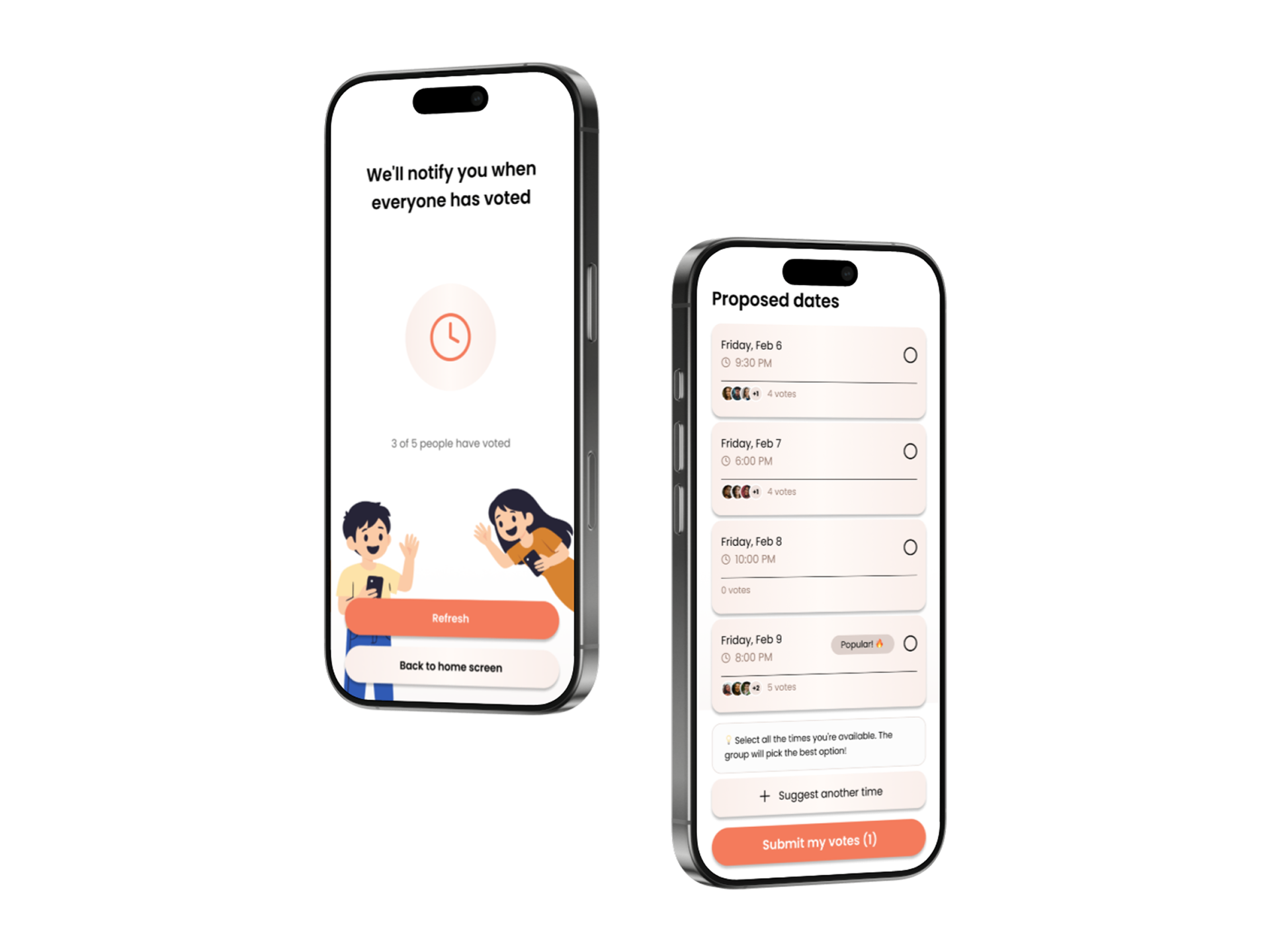
04
Waiting for votes & proposed dates
A friendly empty-state while the group votes — '3 of 5 people have voted'. On the right, multi-select voting on proposed times with live tallies, avatars of who voted and a 'Popular!' tag.
05
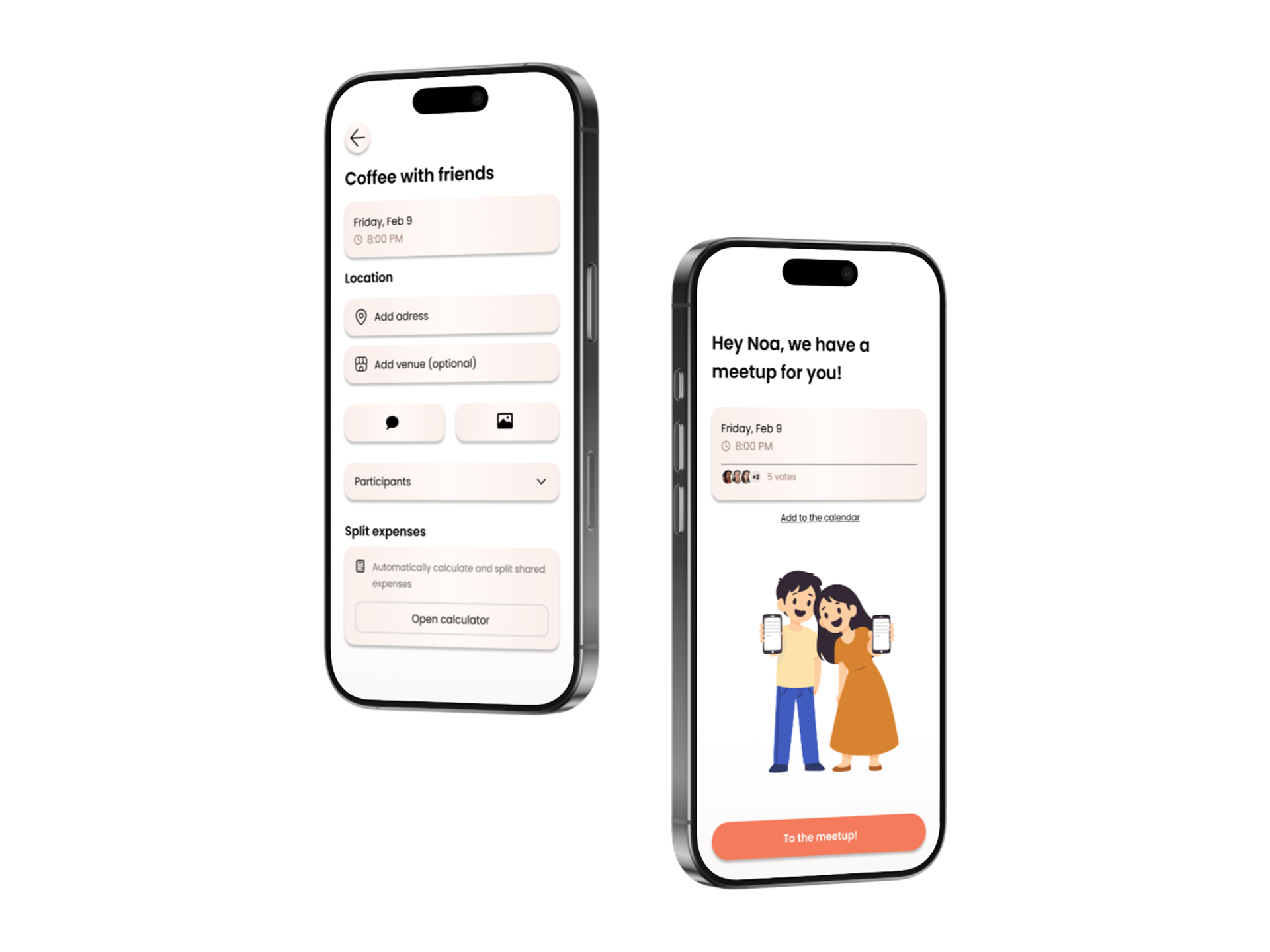
Meetup details & confirmation
Final date, location, venue, chat and photo entry points, plus a built-in split-expenses module (left). The right shot is the joyful confirmation moment — 'Hey Noa, we have a meetup for you!'
06
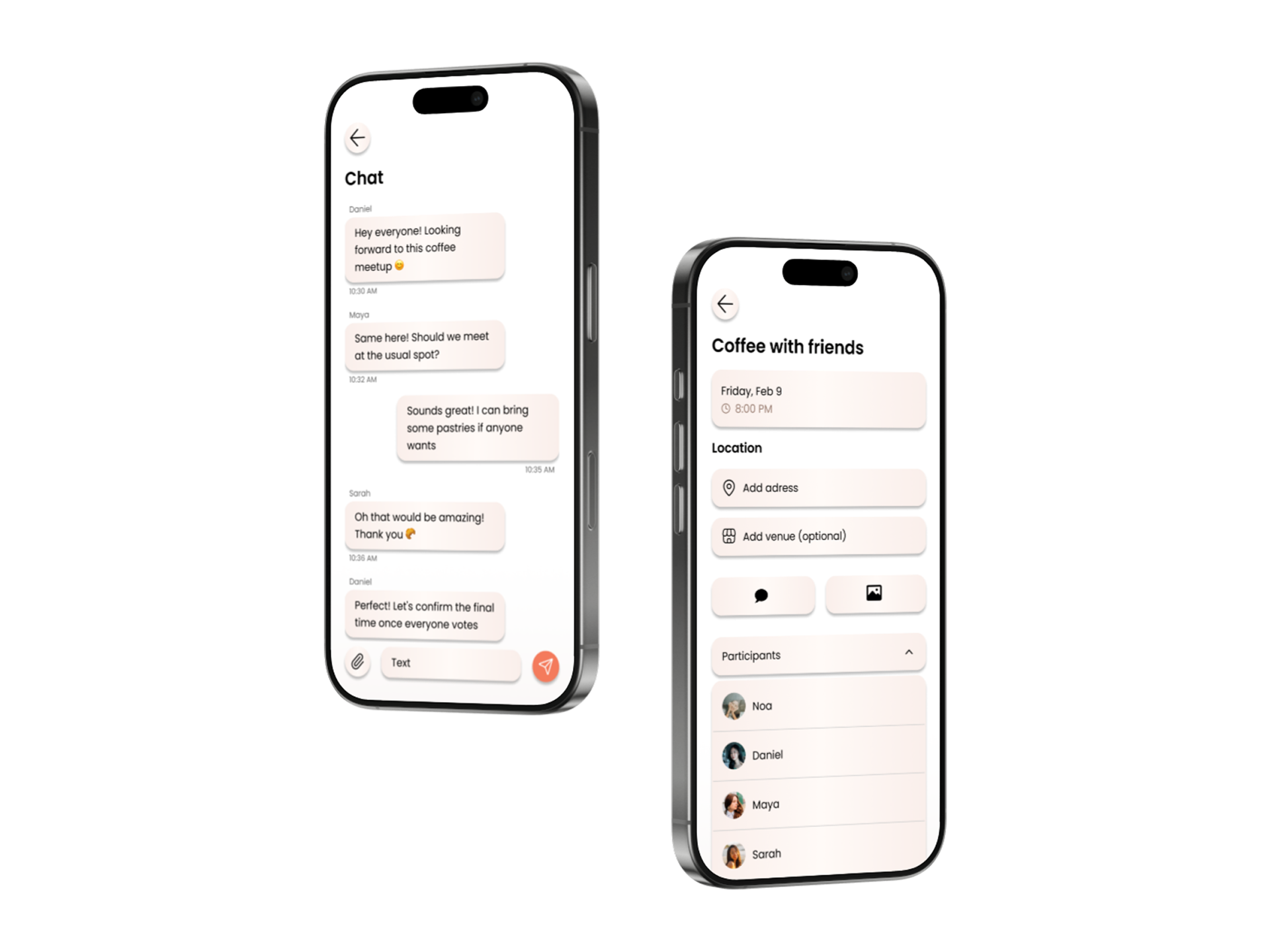
Group chat & meetup details
Lightweight in-meetup chat so coordination doesn't get lost in WhatsApp, paired with the full meetup details view — date, location, venue and the participants list.
07
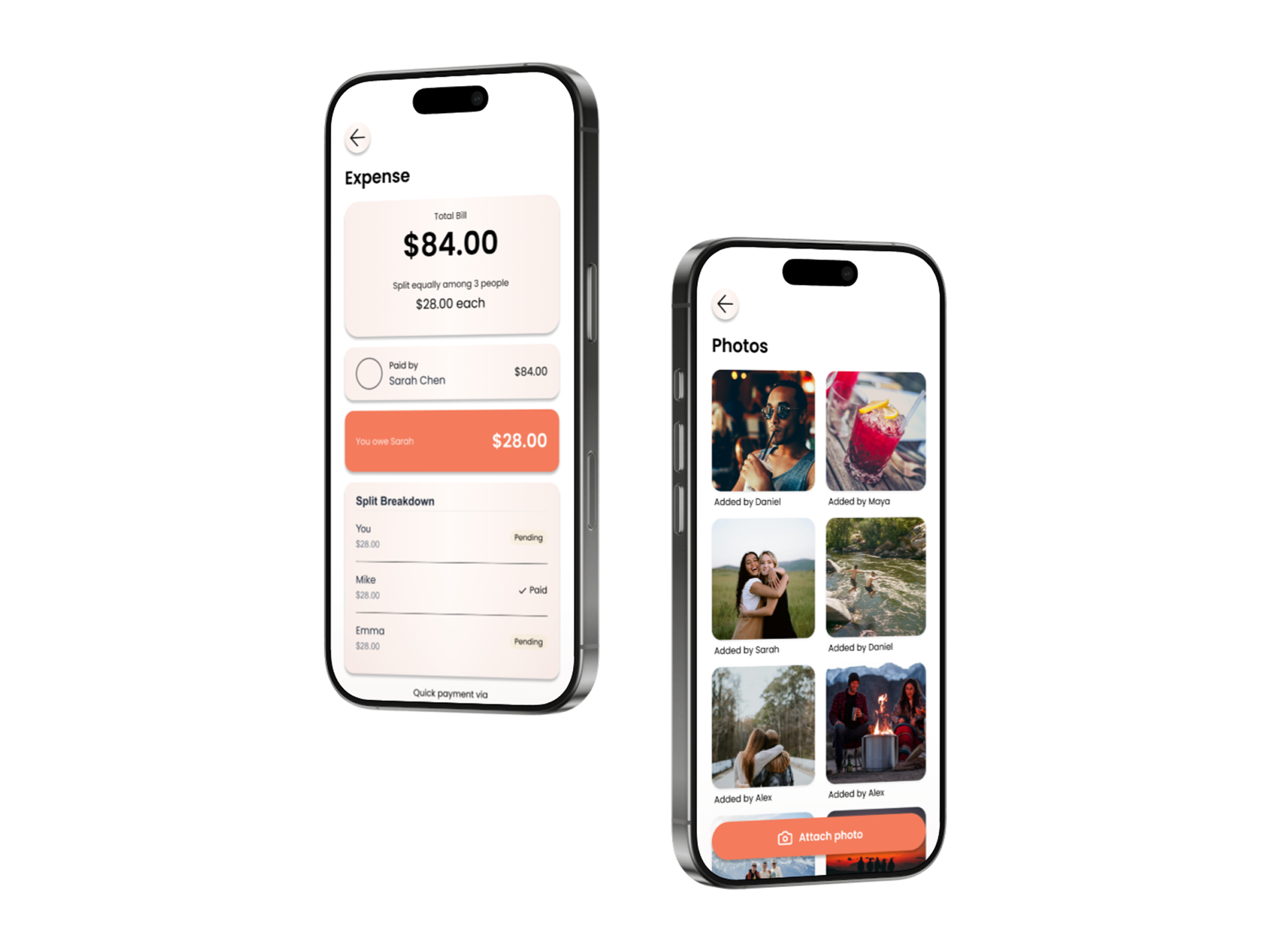
Split expenses & shared photo album
Total bill, equal-split breakdown, who paid and who owes what with quick-pay shortcuts. Each meetup also gets its own photo wall, attributed to who added each shot — the post-meetup retention hook.
08
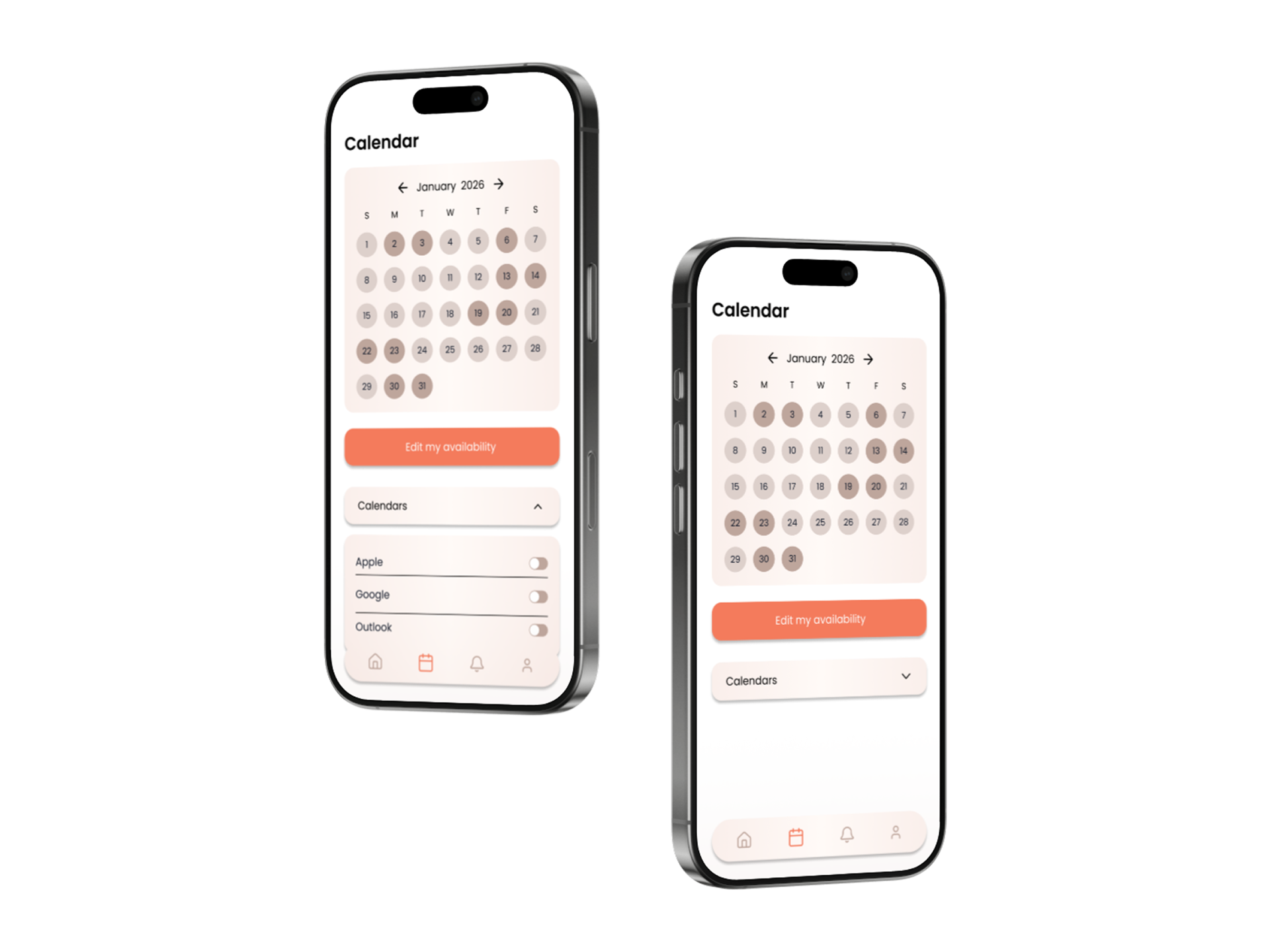
Personal calendar & sources
A private availability view — only you see the busy days. Apple, Google and Outlook sync are opt-in per source and fully reversible; the rest of the group only ever sees aggregated heat.
09
Receiving an invitation & notifications
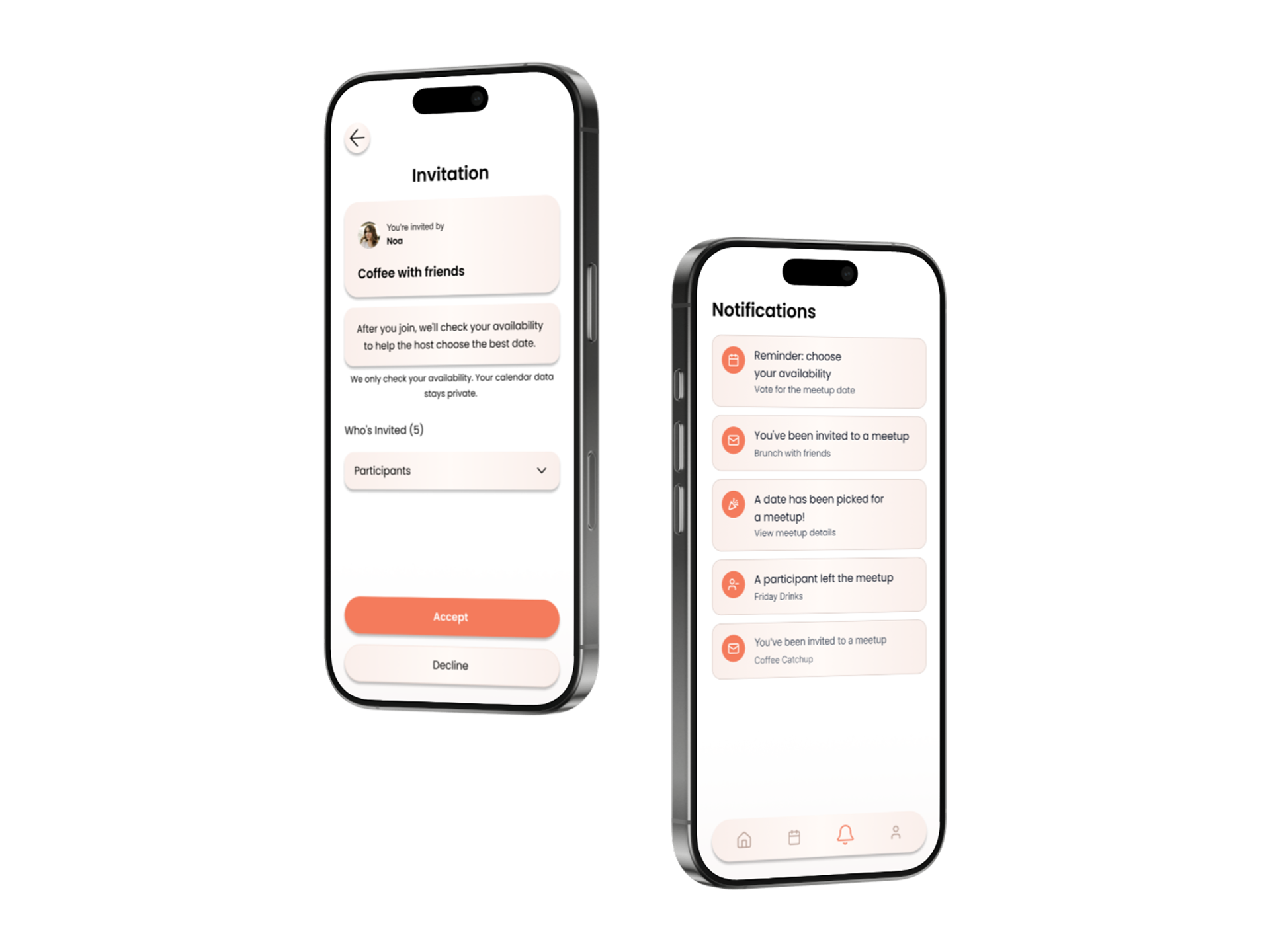
Invitees see who invited them, the meetup name and a clear privacy promise before accepting. The notifications inbox keeps voting reminders, new invites and date confirmations in one calm feed.
10
You're in & expanded participants
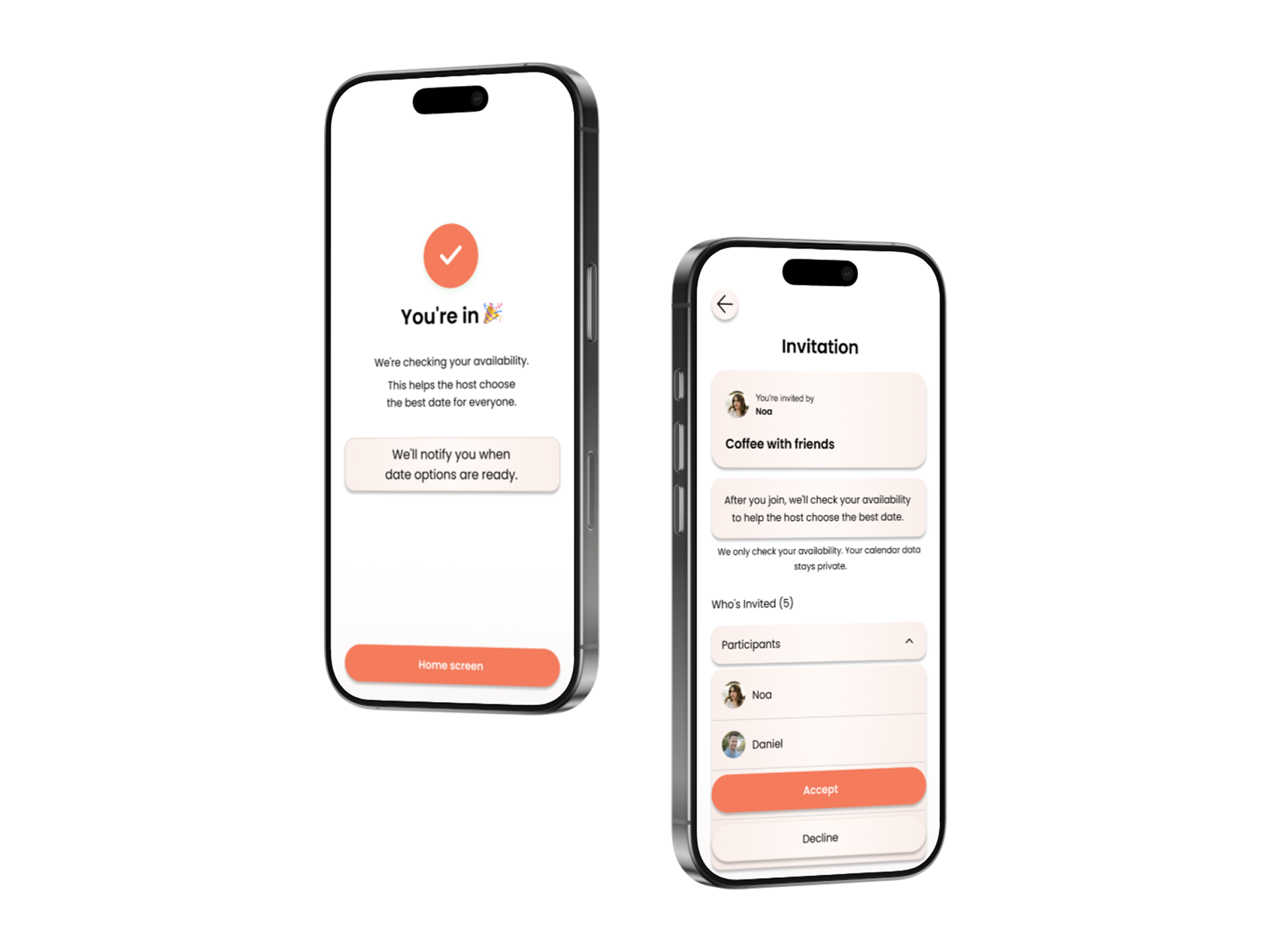
A celebratory 'You're in 🎉' confirmation while the system starts checking availability in the background, plus the expanded participants list so invitees know exactly who's coming.